quick configuration wizard does not working
-
hi there
 the title is answer
when i want to change top bars through the Quick Configuration Wizard
administration -> cmdb settings -> Quick Configuration Wizard and i pressed adjust and created something new one and accept, but anything is not happend, i dont know about it was correctly working or not
did you have any help to me?
-
This post is deleted! -
This post is deleted! -
Hello @jung-hoon-lee
as you can see you need to activate object type groups in order to display them.
Please check that and if it does no solve the Problem, please let me know and provide me a screenshot ;>
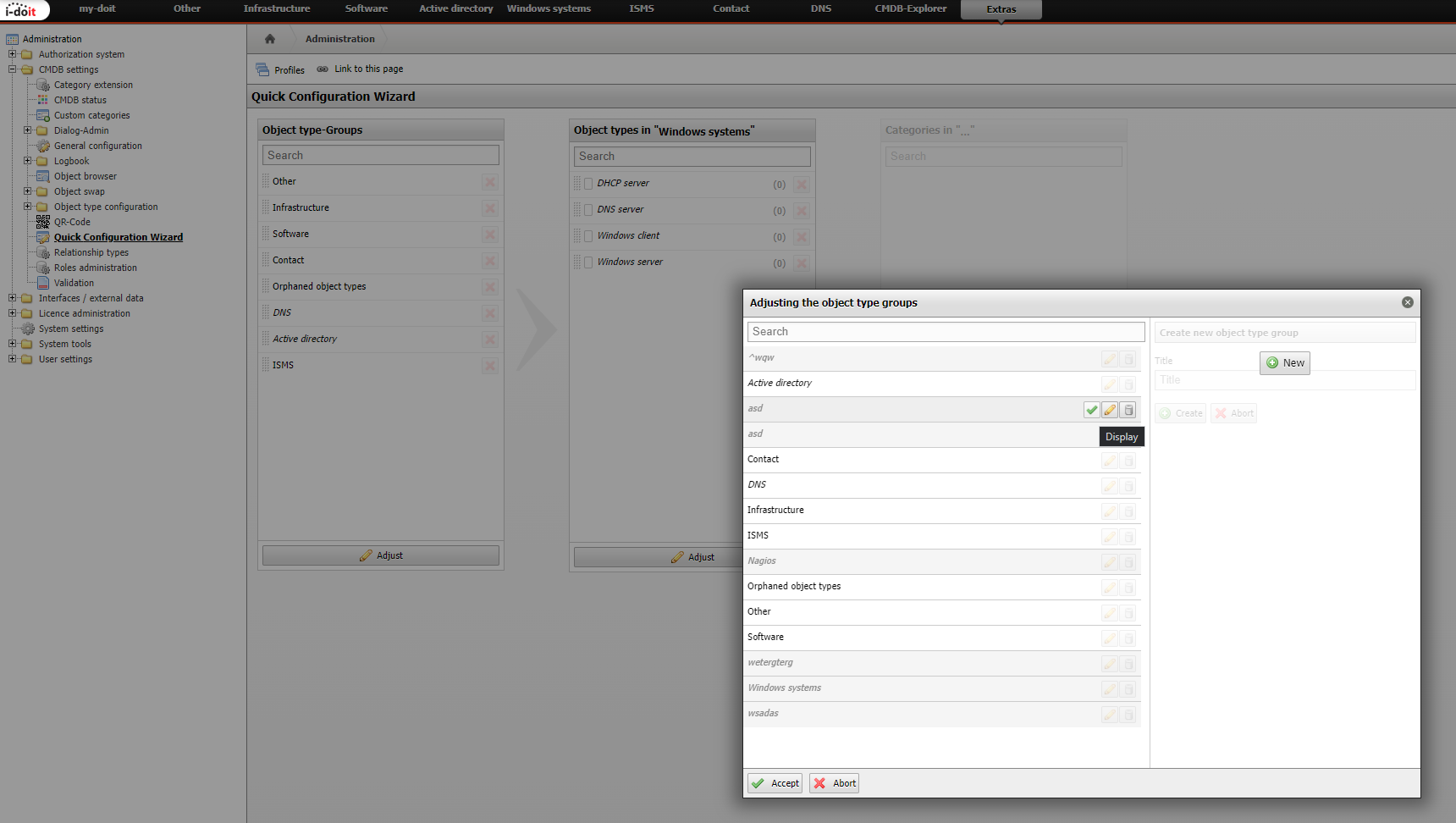
-
@michael-overkamp Thanks to reply i followed it what u did it but it does not accepted not thing has changed i checked "Display" Message but not thing to appered
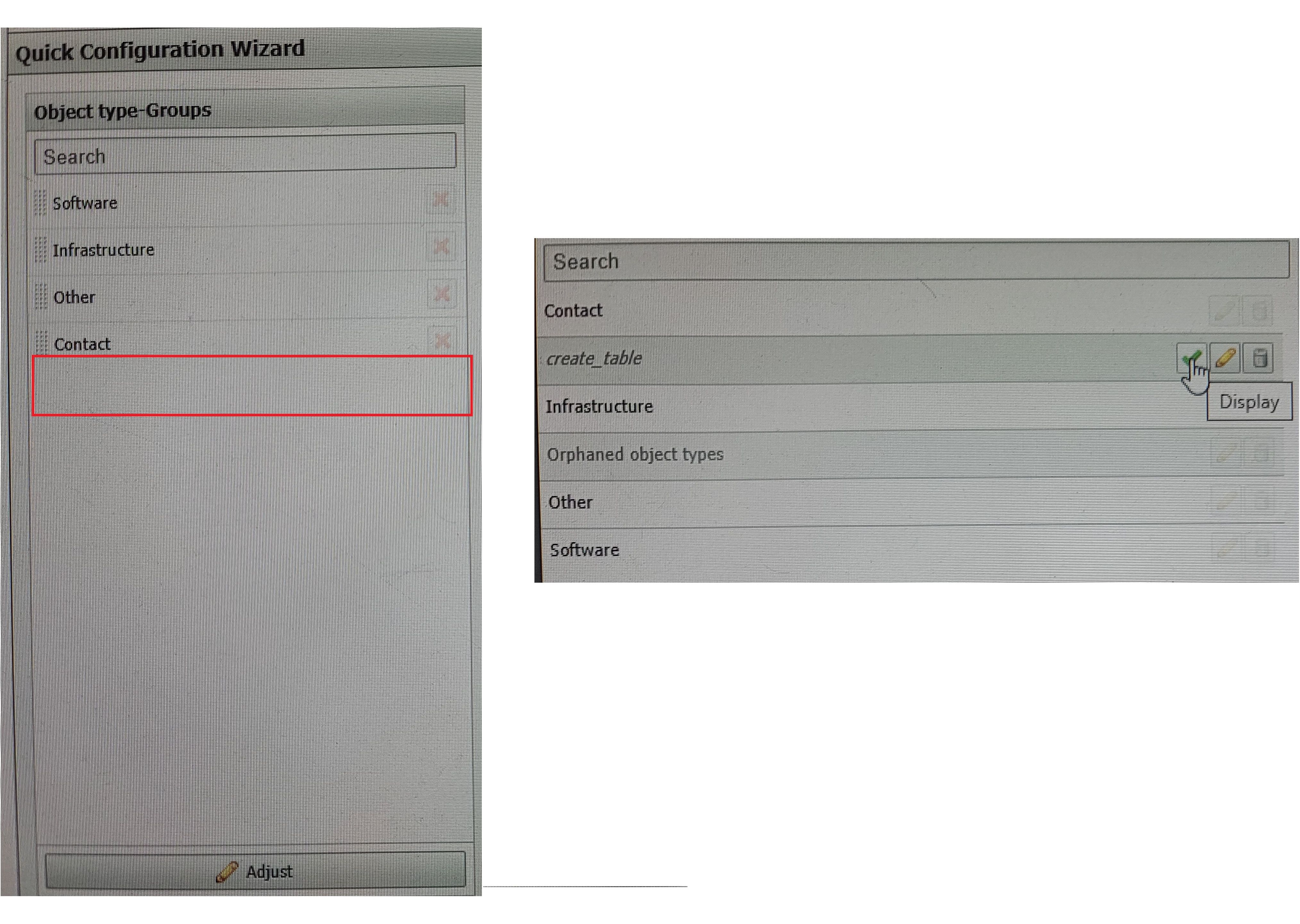
-
@jung-hoon-lee the display status looks like "disable status" but it's my fault by my self, i'm surely checked display icon
-
Hey @jung-hoon-lee,
hey so did hit the display button?

-
@michael-overkamp i'm so sad my picture was so big size that i can't send you
 anyway i was checked it what u said it pressed check button and it was be turn red cross sign(hide) and the title font was changed and i press "Accept" button, but notthing changed it and notthing Accepted it
i have strange one another things, i can't be change status be hide another one should i need to re-install cmdb whole thing?


Hello! It looks like you're interested in this conversation, but you don't have an account yet.
Getting fed up of having to scroll through the same posts each visit? When you register for an account, you'll always come back to exactly where you were before, and choose to be notified of new replies (either via email, or push notification). You'll also be able to save bookmarks and upvote posts to show your appreciation to other community members.
With your input, this post could be even better 💗
Register Login