Community
    • Categories
    • Recent
    • Popular
    • Users
    • Search
    • Register
    • Login

    How to Add Fields to Object Browser

    Scheduled Pinned Locked Moved Allgemein
    4 Posts 3 Posters 318 Views 1 Watching
    Loading More Posts
    • Oldest to Newest
    • Newest to Oldest
    • Most Votes
    Reply
    • Reply as topic
    Log in to reply
    This topic has been deleted. Only users with topic management privileges can see it.
    • H Offline
      HubaIT
      last edited by

      Hey

      We are implementing i-doit, anyone kow how I can add Fields to the Object Browser. I need the "Username" Field to find the right accounts.
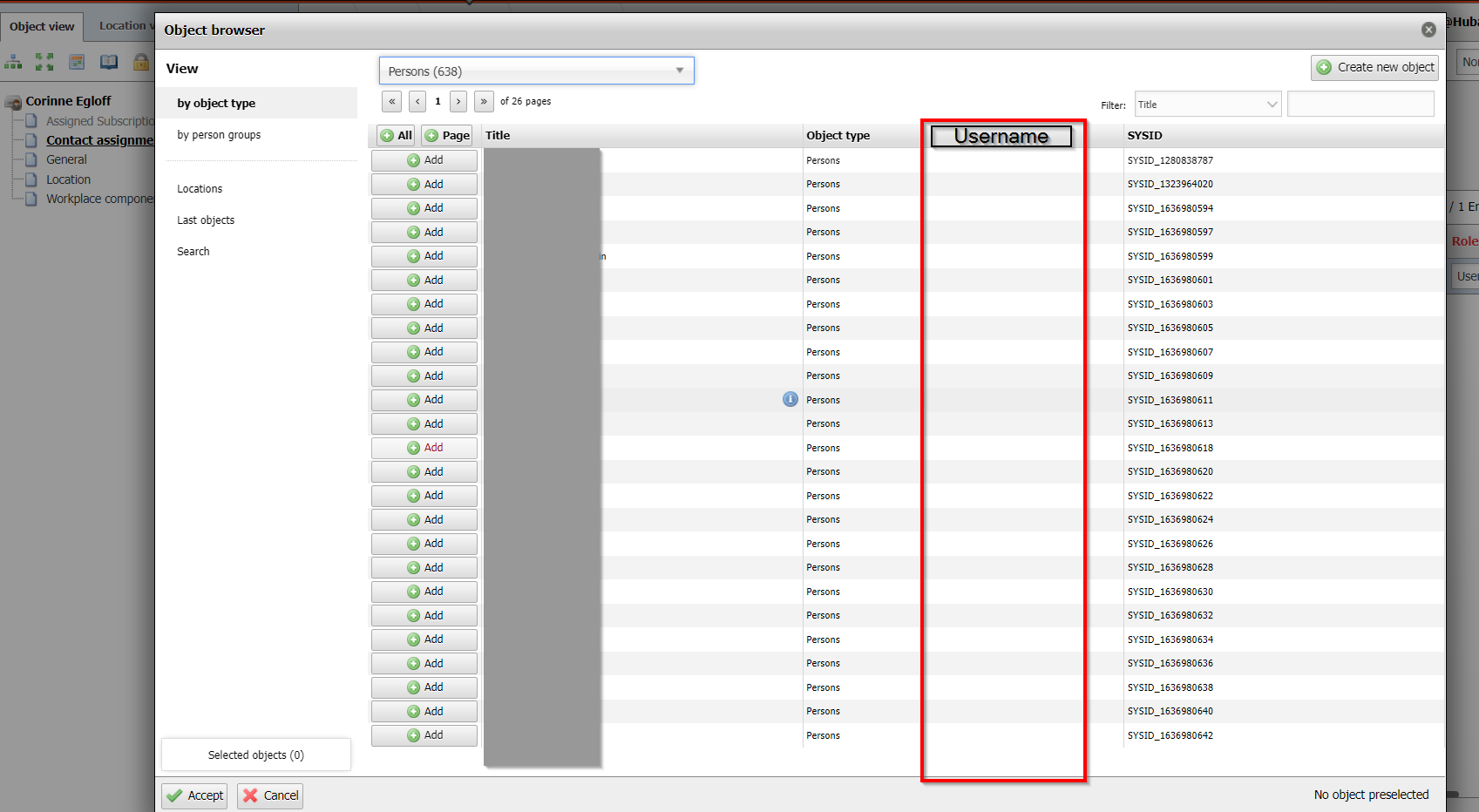
      1a03a1d4-67d8-4b7e-af78-4531b2e006eb-image.png

      Kind regards Patrick

      1 Reply Last reply Reply Quote 0
      • L Offline
        leobaer
        last edited by

        Hi

        Administration > CMDB Settings > Object Browser

        search for contact

        edit entry

        click on the magnifiyn clase and search for user name
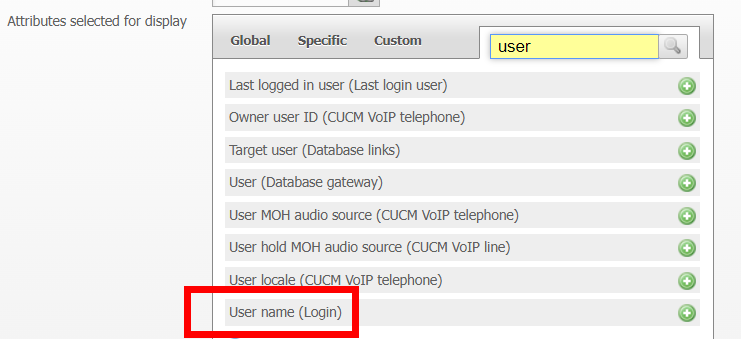
        3e9bca16-2166-42c1-843d-c7330c9a07d9-image.png

        Leo

        H 1 Reply Last reply Reply Quote 0
        • H Offline
          HubaIT @leobaer
          last edited by

          @leobaer

          Thank you very much Sir!

          Now I have a followup Question, in Theory we are/should be administrators in our system. We bought it. I also have a login to this part:
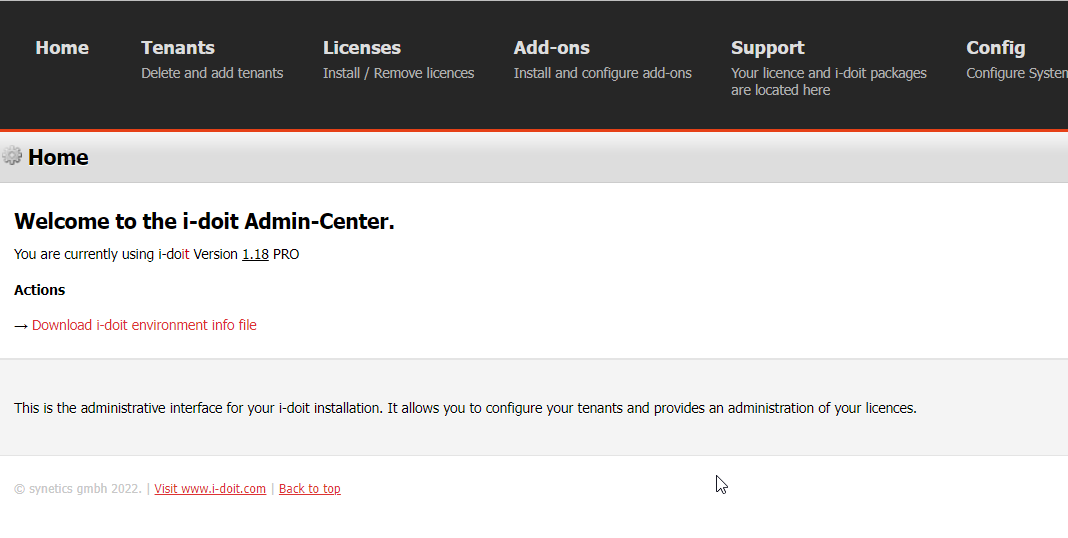
          1d7c2f16-2017-4127-9e0d-e1d167848cce-image.png

          However I actually dont see "Administration" in my EXTRAS Menu. I somehow can access it when I navigate to Import > JDISC > and then hit "JDisc profiles"
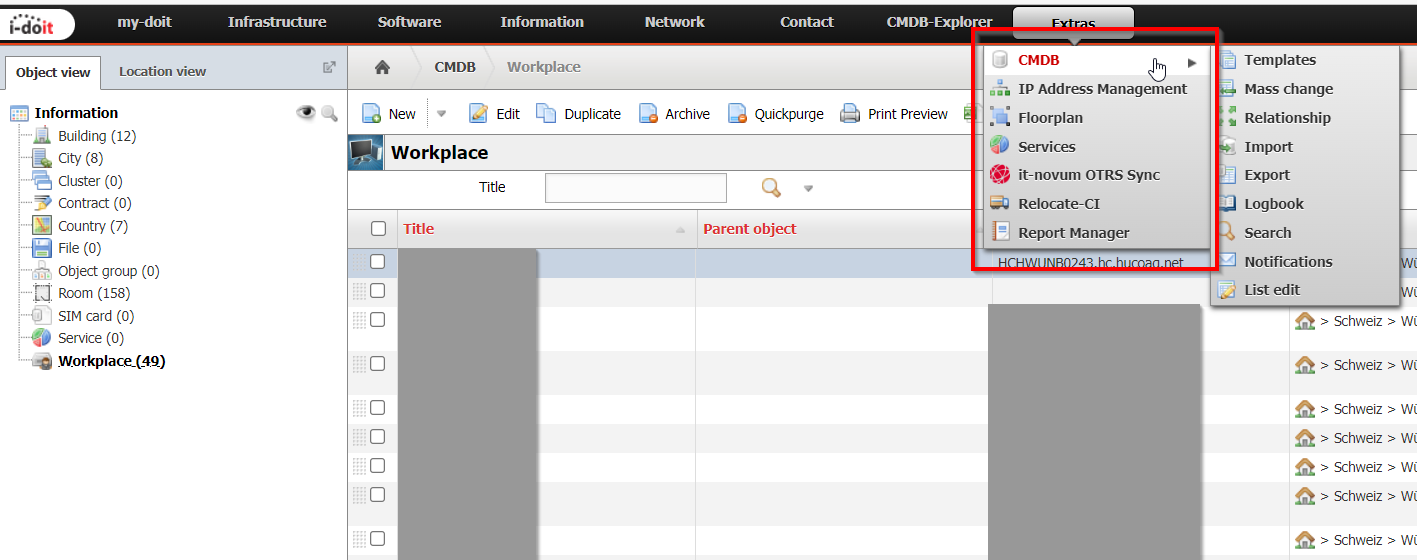
          cecdc618-f8e6-45c3-b825-735ba4b8629a-image.png

          My qustion is, how can I enable "Administration" Menu for our accounts ?

          Best regards Patrick

          S 1 Reply Last reply Reply Quote 0
          • S Offline
            StephanBuerger @HubaIT
            last edited by

            @HubaIT
            Hello Patrick,

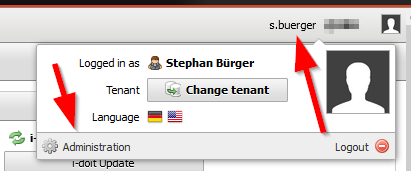
            i think you are using the wrong menu.

            Move your mouse over your username top right and thank click "Administration".
            2022-11-13 18_30_57-Window.png

            regards
            Stephan

            1 Reply Last reply Reply Quote 0

            Hello! It looks like you're interested in this conversation, but you don't have an account yet.

            Getting fed up of having to scroll through the same posts each visit? When you register for an account, you'll always come back to exactly where you were before, and choose to be notified of new replies (either via email, or push notification). You'll also be able to save bookmarks and upvote posts to show your appreciation to other community members.

            With your input, this post could be even better 💗

            Register Login
            • First post
              Last post