i-doit update from 35 to 36 fails with permissions issues
-
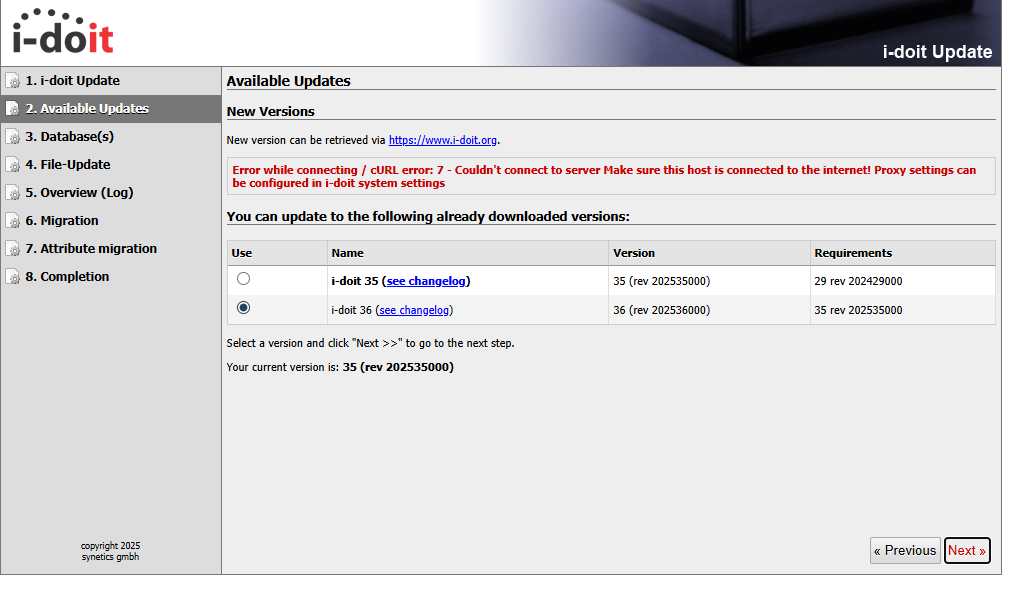
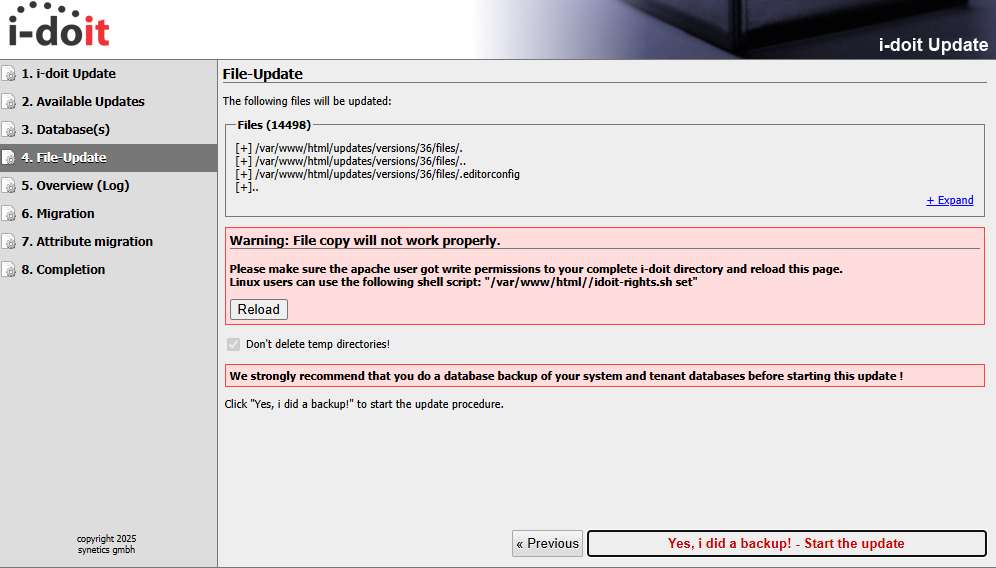
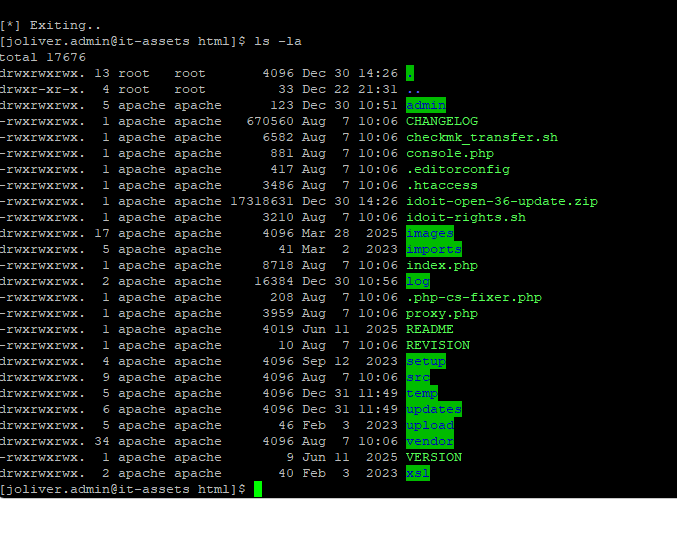
When I attempt to update our i-doit Open installation from 35 to 36, I receive an error message that /var/www/html is not writable. However, I have run the "idoit-rights.sh set" script to ensure that everything is writable and have verified that the apache user has ownership of all files. When I attempt to look for new updates using the Updater screen, our environment reports "Error while connecting / cURL Error: 7," so I manually downloaded the idoit-open-36-updates.zip file and unzip it in the /var/www/html folder as specified in the KB article. After it is unzipped, I then run the "idoit-rights.sh" script to set the permissions. Below are the screenshots, but the update procedure will not progress once the errors are reported. Any help getting past this state would be appreciated. I have searched the KB articles, and have used the guidance in https://kb.i-doit.com/en/system-administration/troubleshooting/known-update-problems.html, including the "Files cannot be copied" guidance. There does not appear to be any hotfix for this issue.
Environment:
Rocky Linux 9.7 (RHEL clone)
PHP 8.3.26
MariaDB 10.11.10
RAM: 4 GB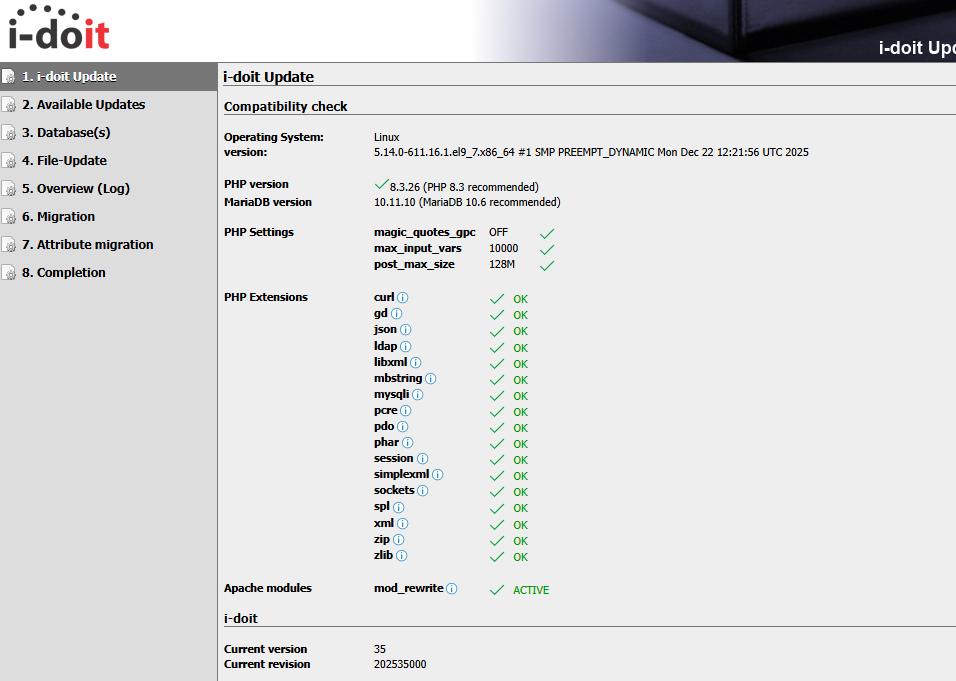
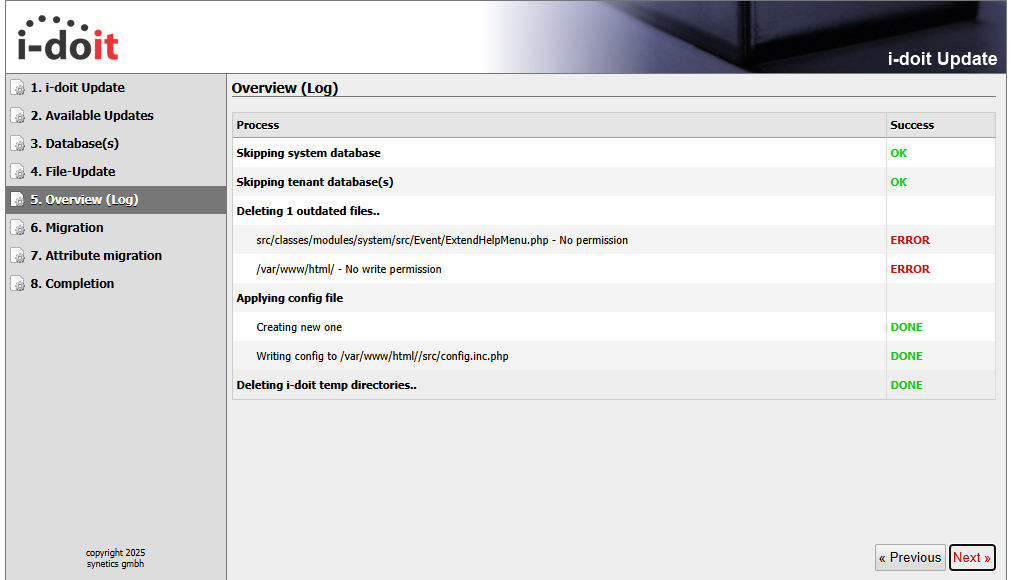
Thanks,
James -
Answering my own question, I reviewed /var/log/messages and found the following entry: "SELinux is preventing /usr/sbin/php-fpm from write access on the directory /var/www/html." Once I disabled SELinux, the update was able to proceed as usual.
James
-
@Promenade1037 said in i-doit update from 35 to 36 fails with permissions issues:
Answering my own question, I reviewed /var/log/messages and found the following entry: "SELinux is preventing /usr/sbin/php-fpm from write access on the directory /var/www/html." Once I disabled SELinux, the update was able to proceed as usual.
That is the worst you can do to fix this problem: turn off security. And worse: disable it and not even set it to permissive mode instead.
If the SeLinux labels are not correct anymore, fix the SeLinux labels. Do not disable SeLinux. The installer as well as the instructions for the manual installation set the directory to a writable selinux context.
So the first question to ask would be why the labels in your installation don't fit anymore?
Hello! It looks like you're interested in this conversation, but you don't have an account yet.
Getting fed up of having to scroll through the same posts each visit? When you register for an account, you'll always come back to exactly where you were before, and choose to be notified of new replies (either via email, or push notification). You'll also be able to save bookmarks and upvote posts to show your appreciation to other community members.
With your input, this post could be even better 💗
Register Login