Problem with editing Ports. Urgent
-
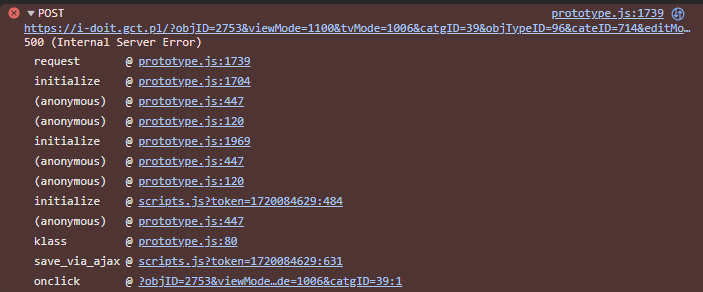
I have a problem with changing Ports, more specifically in the Network -> Port folder. I can create new ports, but I cannot edit an already created port. No error or confirmation message appears. The Save button refreshes the page but does not perform actions such as disconnecting from Connected with. The only thing I managed to find was Internal Server Error 500

-
When encountering a 500 Internal Server Error, the place to look for error messages is the Apache server error log (by default /var/log/apache/error.log)

Hello! It looks like you're interested in this conversation, but you don't have an account yet.
Getting fed up of having to scroll through the same posts each visit? When you register for an account, you'll always come back to exactly where you were before, and choose to be notified of new replies (either via email, or push notification). You'll also be able to save bookmarks and upvote posts to show your appreciation to other community members.
With your input, this post could be even better 💗
Register Login